Let Gemini tackle repetitive chores on your Mac
Google’s Gemini app for Mac now automates repetitive tasks by navigating apps, menus, and websites on your behalf while you retain oversight and control.
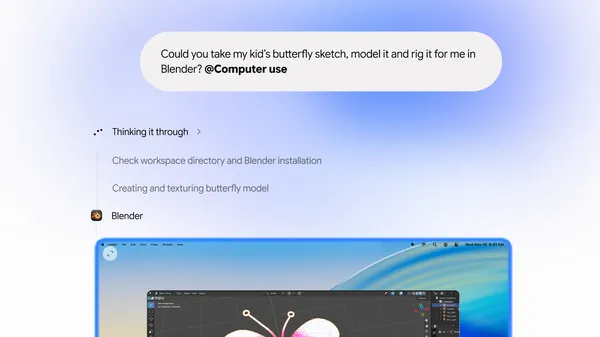
Gemini for Mac introduces a new feature that performs repetitive computer tasks automatically. Users can describe multi-step workflows, and the app will handle clicking, typing, and form entries across local files, desktop applications, and web browsers. The process runs in a separate window, allowing users to continue their own work without interruption. Every action requires explicit approval, and users can restrict which apps Gemini accesses.
The feature operates within an isolated background window that displays a live preview of its actions. Users can watch each step in real time, pause the process at any moment, and approve key actions before they execute. This design ensures transparency and control while reducing the need for manual, repetitive interactions. The system is designed to integrate seamlessly with existing workflows without disrupting ongoing tasks.
Privacy and safety are central to the feature’s design. Users select which applications Gemini can interact with, and all actions are visible in the live preview window. The system allows users to halt the process at any stage and requires confirmation for critical actions. These safeguards are intended to maintain user oversight while automating routine work.
Computer use in the Gemini app for Mac is available starting today in English for users in the United States. The feature requires an Apple Silicon Mac running macOS Sequoia 15.0 or later. It is accessible to personal Google account holders aged 18 and older, as well as Google AI Plus, Pro, and Ultra subscribers. Download the app from gemini.google/mac to begin using the feature.