Introducing WhatsApp Web Calling, Plus More New Features
Meta expands WhatsApp Web to support direct audio and video calls, including group calls, with features like screen sharing, call history, and end-to-end encryption. Group call transfers and waiting room controls are also introduced.
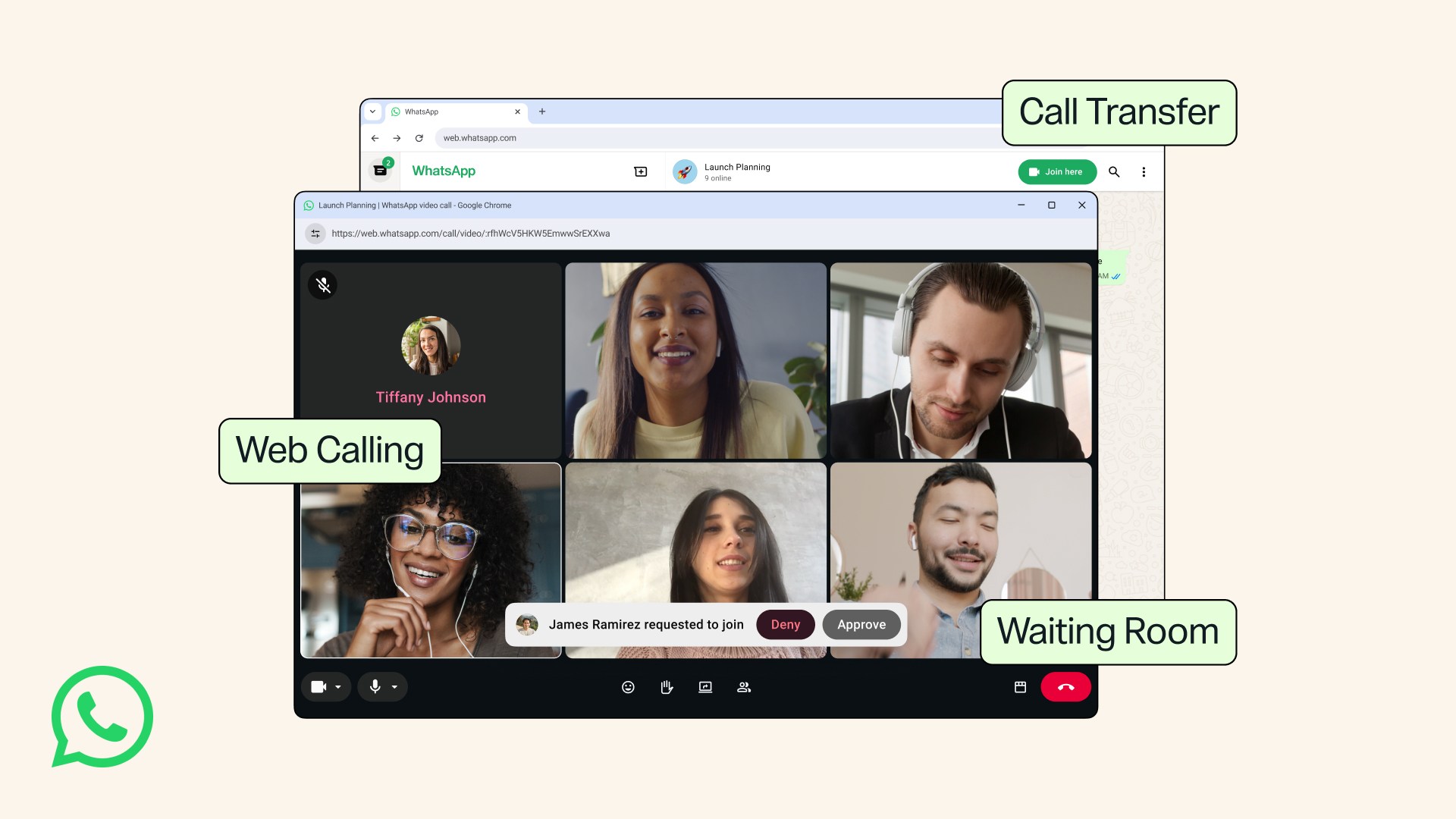
Meta announced that WhatsApp Web now supports making and receiving audio and video calls directly in the browser, eliminating the need to download the app. Users can initiate one-on-one or group calls, access screen sharing, reactions, and a dedicated Calls tab with full history and favorites. All calls remain end-to-end encrypted with no time limits or costs, maintaining the same privacy standards as the mobile app.
A new feature allows users to transfer an active group call between devices without interruption, enabling seamless transitions from mobile to desktop or vice versa. This is particularly useful for users who start calls on the go and later switch to a larger screen at home or work. The transfer process requires no additional steps beyond initiating the move between connected devices.
WhatsApp has introduced a waiting room option for group call links, giving hosts control over participant entry. When enabled, callers are placed in a waiting room until the host approves their participation. This feature aims to enhance privacy and reduce disruptions during group calls, particularly in professional or formal settings.
The platform has also improved call quality with QuickHD, which delivers high-definition video from the start of a call, and noise suppression to filter out background sounds. These enhancements are designed to provide clearer audio and video, even in noisy environments. Both features are adjustable in-call settings and will roll out gradually to all users.