Firefox is easier than ever to customize
Mozilla has redesigned Firefox’s settings interface to improve navigation and clarity while preserving user preferences and customization options.
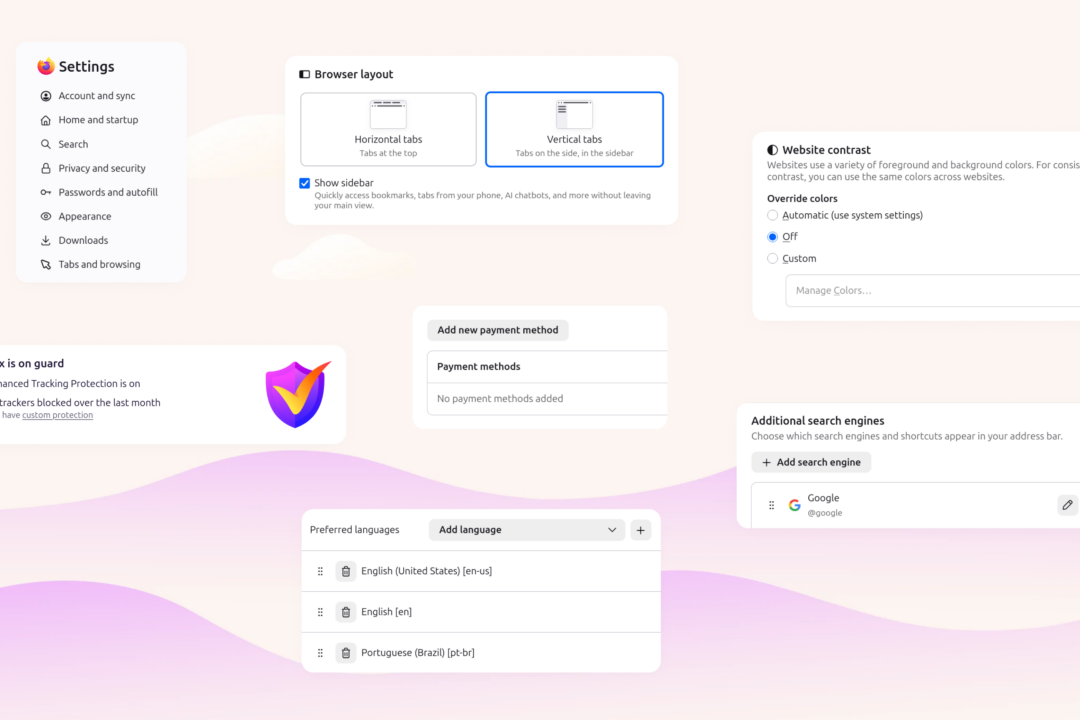
Firefox’s settings pages have been reorganized to address overcrowding and scattered preferences, making options easier to locate. The update consolidates related categories such as Appearance, Accessibility, Languages, and Tabs and browsing, replacing the former General page. Labels, descriptions, and navigation have been modernized to streamline the experience. Users can still access all their existing preferences, which remain unchanged despite the restructuring.
The redesign incorporates findings from user research, including interviews, usability tests, and analysis of usage data. Community feedback gathered via Mozilla Connect, Reddit, and other channels also influenced the changes. Mozilla emphasized that the update reflects collaborative efforts across its teams. The new layout aims to balance simplicity with the flexibility Firefox users expect.
A search bar has been added to help users quickly find specific settings that may have moved to new locations. Mozilla Support offers additional guidance for those needing further assistance. The company stated that no preferences were altered during the transition, ensuring continuity for existing users. The changes are part of ongoing efforts to refine Firefox’s usability.
Mozilla thanked users for their contributions to the redesign, noting that community insights were critical to the process. The updated settings experience will continue to evolve based on ongoing feedback. Future improvements will prioritize user needs and usability enhancements. The redesign underscores Mozilla’s commitment to iterative development and user-centered design.