Bring your spreadsheet data to life with Sheets canvas
Google Sheets has introduced Sheets canvas, an AI-powered feature that converts spreadsheet data into interactive visual dashboards using natural language prompts, now available to eligible subscribers.
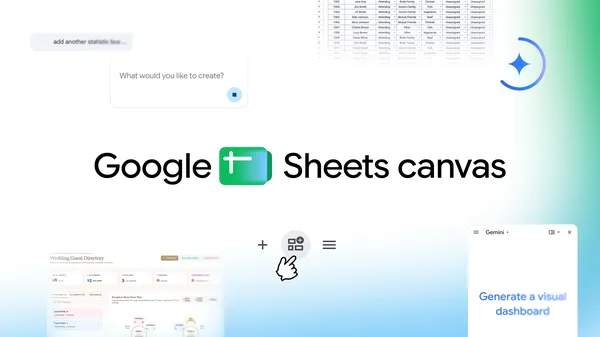
Google Sheets has launched Sheets canvas, a new tool that uses artificial intelligence to transform static spreadsheet data into interactive mini-apps. Users can describe their needs in plain language, and the system will generate custom layouts such as study trackers or seating charts without requiring any coding. The feature integrates directly with existing spreadsheets, ensuring that updates in the canvas automatically sync with the original data. This eliminates the need to manually transfer information between formats, streamlining workflows for tasks like event planning or academic tracking.
Sheets canvas is designed to address the challenge of managing complex data in traditional spreadsheets, which can become difficult to interpret when presented in rows and columns. By adding a dynamic, read-write layer over the spreadsheet, users can visually organize, edit, and navigate their data in customized layouts. The feature is built with Gemini, Google’s AI model, and supports a wide range of use cases, from tracking fantasy football rosters to managing wedding guest seating arrangements. The flexibility of Sheets canvas allows users to tailor their data presentation to specific needs without altering the underlying spreadsheet structure.
For students, Sheets canvas offers a practical solution for organizing assignments and deadlines. By converting a list of tasks into an interactive study aid, users can track progress, set reminders, and visualize upcoming deadlines in a more intuitive format. The tool also supports educators and institutions through the Google AI Pro for Education add-on, enabling streamlined management of academic data. Similarly, fantasy sports enthusiasts can create custom dashboards to monitor player performance, compare statistics, and strategize for competitions, all while maintaining real-time synchronization with their original data sheets.
Sheets canvas is now available globally in English to Google AI Pro and Ultra subscribers, as well as to Google Workspace customers on Business or Enterprise Standard and Plus plans. The feature begins rolling out today, with eligibility extending to those with the Google AI Pro for Education add-on. To access Sheets canvas, users can open a Google Sheets spreadsheet and select the “Create canvas” option in the Ask Gemini side panel. Google has provided additional guidance and tips in a dedicated article to help users get started with this new functionality.