Final Cut Camera now supports variable aperture on iPhone 18 Pro
Final Cut Camera 2.4 adds variable aperture control for iPhone 18 Pro, new pro features with iOS 27, and a redesigned interface for improved video capture and editing workflows.
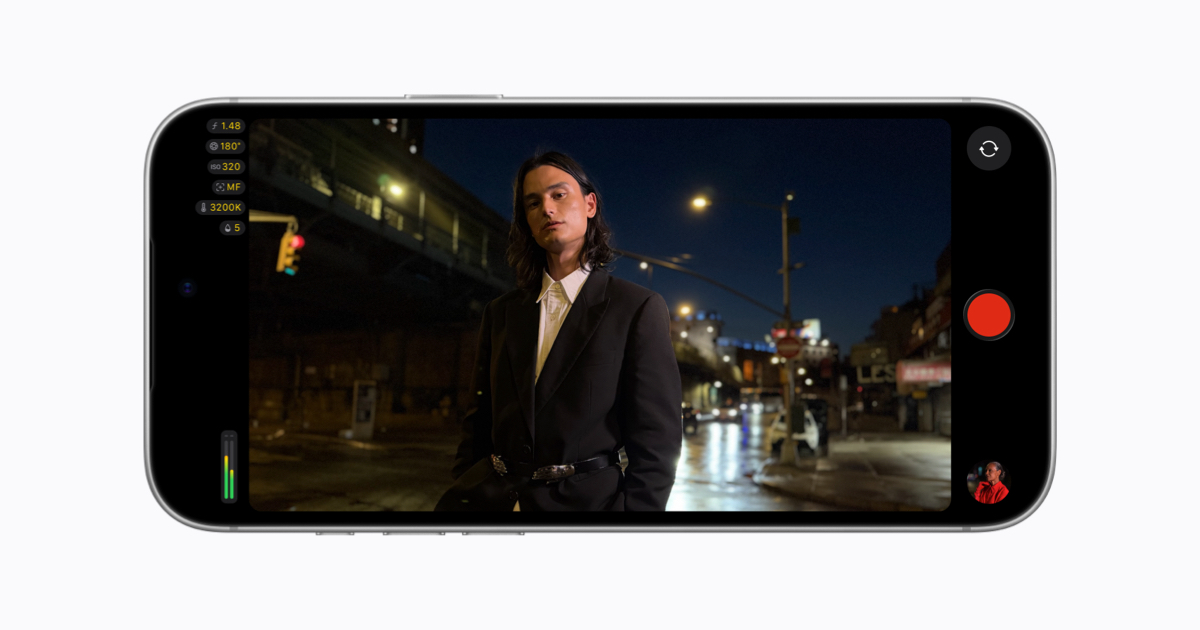
Final Cut Camera version 2.4 introduces a redesigned interface alongside support for variable aperture on the iPhone 18 Pro, marking the first time aperture control is available on an iPhone. The update also expands professional options for users running iOS 27, including new tools for video capture and monitoring. The free software update is available starting September 29, replacing the previous layout with a streamlined design focused on accessibility and control.
The app now provides easier access to core settings such as shutter angle, ISO, and white balance, along with customizable overlays like false color and clipping indicators to assist with exposure accuracy. A new tally light signals active recording, while a two-finger tap clears the viewfinder to help users concentrate on framing shots without distractions.
With the iPhone 18 Pro’s Fusion Main camera, users can adjust aperture settings directly in Final Cut Camera, choosing between manual control or priority modes like shutter priority and aperture priority. The app also enables Cinematic mode effects for standard video, including footage recorded in ProRes and Apple Log, allowing creators to refine focus points and depth of field during editing in Final Cut Pro.
The update adds professional video scopes, clean SDI out, and genlock offset for iOS 27 users. These features include RGB Parade for color balance and exposure checks, a histogram for monitoring levels, and the ability to send a clean video signal via HDMI-to-SDI converters for broadcast streaming. Genlock offset helps correct image artifacts and latency differences when syncing with other cameras.